


Touchscreen glove guide
How to Choose Touchscreen Gloves That Actually Work in Cold Weather
Learn what conductive fingertips do, why fit matters, and how to get better phone response without taking your gloves off.
Why some touchscreen gloves disappoint
Touchscreen gloves work by carrying a small amount of electrical charge from your finger to a capacitive phone screen. If the conductive area does not touch both your finger and the screen, the phone may not register the gesture.
That means poor response is not always caused by the conductive material alone. Loose fingertips, thick seams, a dirty screen, or light contact can all reduce accuracy.
Look for conductive fiber, not just a printed tip
Some low-cost gloves rely on a small surface coating that can wear down. Conductive fiber woven into the fingertip is generally a better construction choice for repeated use. It allows the contact area to remain flexible while you tap, swipe, or open navigation.
Touchscreen performance still varies by device, screen protector, and finger position. No winter glove will feel exactly like a bare fingertip, but the right design should handle common tasks such as answering a call, changing a song, or checking a route.
Fit is the hidden performance factor
If extra fabric extends beyond your fingertip, the conductive area can fold away from the screen. Choose a size that keeps the fingertips close without squeezing the hand.
Measure palm circumference and review the size chart before ordering. People with longer fingers may need to size up, while a close fit usually improves touchscreen control.
Warmth and dexterity need balance
Very bulky insulation can limit finger movement. For commuting, dog walking, and everyday errands, a fleece-lined knit glove offers a useful middle ground: warmer than a thin liner, but more flexible than a heavy ski glove.
For conditions below 20°F, prioritize insulation and consider layering or switching to mittens. Touchscreen access is useful, but protecting your hands comes first.
Do not overlook grip
A textured palm helps stabilize both the phone and your hand on other objects. This is especially useful when holding a leash, gripping a steering wheel, or carrying a travel mug. Silicone grip patterns should cover the palm and fingers without making the knit feel stiff.
A five-point buying checklist
- Conductive fiber at the thumb and index finger, or more fingertips if available.
- A close but comfortable fit with minimal loose fabric at the tip.
- Soft lining appropriate for your usual temperature range.
- Non-slip texture for phones, wheels, and handles.
- Reinforced stitching around high-stress fingertip seams.
How to care for touchscreen gloves
Harsh heat can damage stretch fibers and affect shape. Hand wash in cold water, reshape gently, and air dry. Do not use bleach or a tumble dryer. Keeping the fingertips clean also helps maintain reliable screen contact.
Bottom line
The best touchscreen gloves are not defined by a single patch on the fingertip. Look for conductive construction, the right fit, flexible warmth, and practical grip. Those details work together to make phone use easier in cold weather.
Stay warm and stay connected
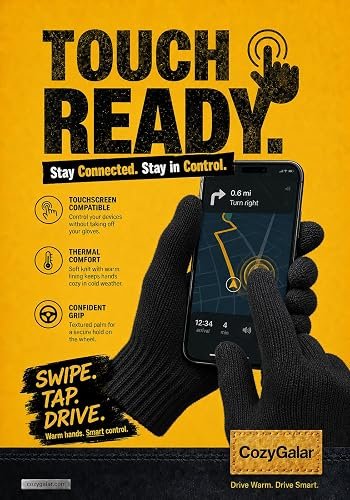
CozyGalar wool-blend gloves combine fleece lining, conductive fingertips, and a textured non-slip palm.
Pingback: Why Do Touchscreen Gloves Stop Working? 8 Fixes to Try -
Pingback: Best Winter Gloves for Dog Walking: What to Look For
Pingback: How to Wash Touchscreen Gloves Without Damage - CozyGalar
Pingback: Why Are My Hands Still Cold in Gloves? 6 Causes & Fixes - CozyGalar
Pingback: How Should Men's Winter Gloves Fit? Warmth, Grip & Touchscreen Guide - CozyGalar